Footfallz Signs Tracker

Less driving around, more time with family.

Every open house sign on one map. Plan your spots, place them with a photo and a note, share with your assistant, and pick them all up in one loop.

Part of the Footfallz Signs subscription. Works on your phone and computer, and your assistant needs no app or account.
Why agents use it

Open house signs shouldn’t eat your weekend.

“Where did I put sign 4?”

Every sign is pinned on a map with a photo, so you, your team and your assistant always know where it is.

“Same corners, planned again.”

Sign spots are saved to the listing. Next open house, they come back as planned, ready to place.

“Texting street names to my assistant.”

Share one link. Your assistant sees every spot and marks signs placed or picked up as they go.

How it works

From planning to pickup in four steps.

Set up an open house in about a minute, then let the map do the remembering.

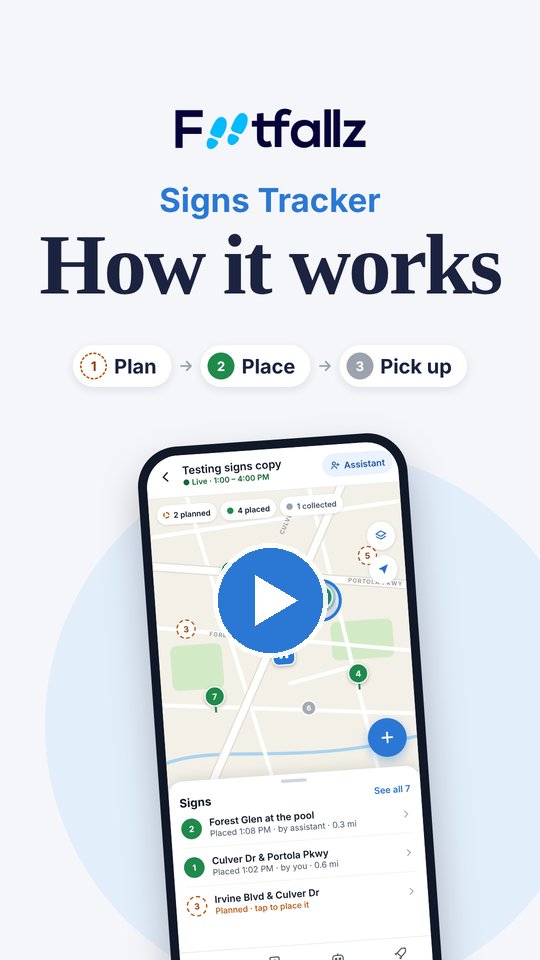
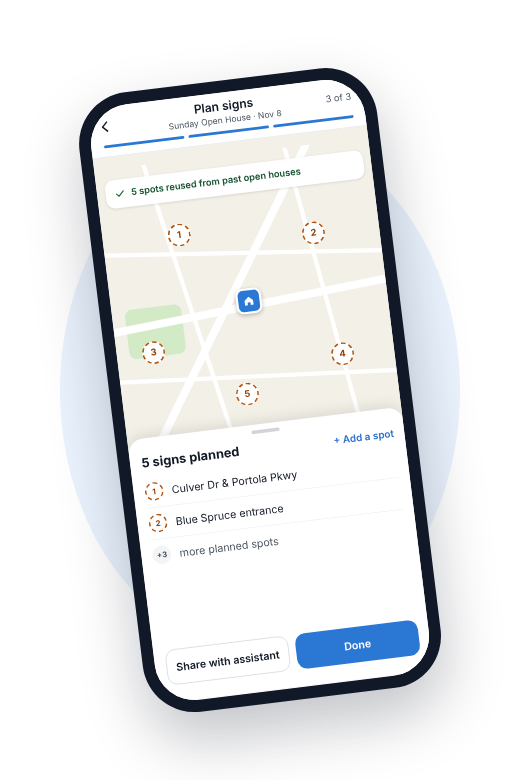
Plan in minutes screen in the Footfallz app

Step 1

Plan in minutes

Pick a listing, schedule the open house and pin your sign spots on the map.

  • check
    Spots from past open houses come back automatically
  • check
    Add a spot anywhere with one tap
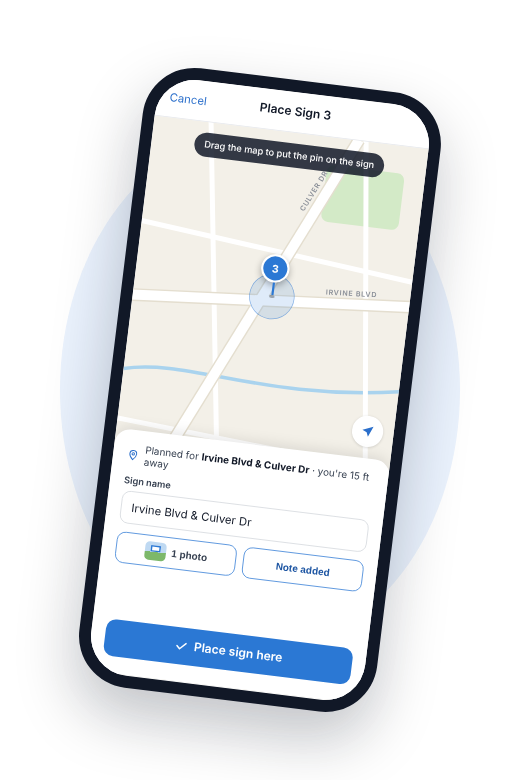
Place with a photo and a note screen in the Footfallz app

Step 2

Place with a photo and a note

At each corner, save the spot with a quick photo and a note so anyone can find it later.

  • check
    Uses your location, or drop the pin by hand
  • check
    Notes like “left of the HOA sign” stay with the sign
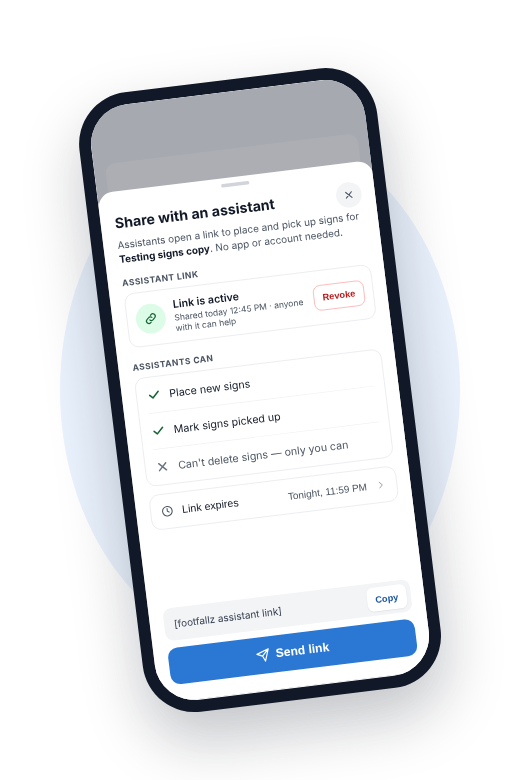
Share with your assistant screen in the Footfallz app

Step 3

Share with your assistant

Send one link to your spouse, assistant or team. No app, no account, no password.

  • check
    They can place signs and mark them picked up
  • check
    Only you can delete signs
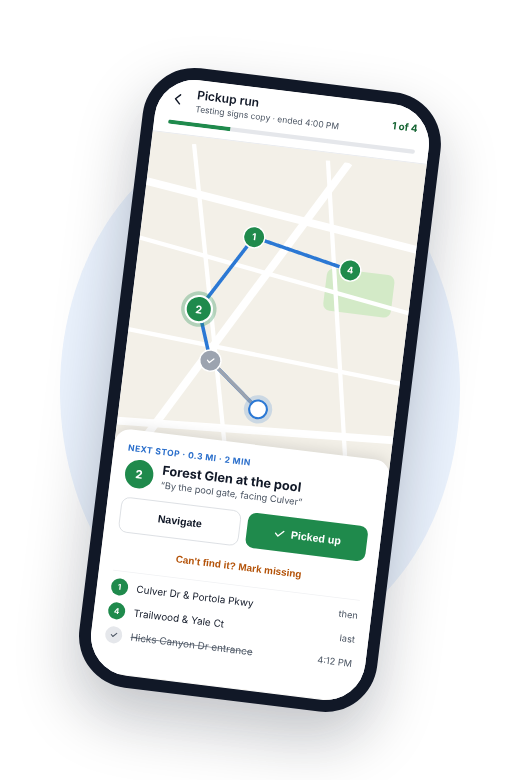
Pick up in one loop screen in the Footfallz app

Step 4

Pick up in one loop

When the open house ends, follow a single route and tap Picked up at each stop.

  • check
    See which signs are still out at a glance
  • check
    A record of who collected each sign, and when

Built for busy weekends

Everything you need

replay

Reuse every spot

Your best corners are saved per listing, so planning the next open house takes seconds.

photo_camera

Photo and note proof

Each sign has a photo and a note, so it’s easy to find and easy to show your seller.

radio_button_checked

Live status

Pins turn green as signs go in. Planned, placed and collected, always up to date.

link

One link for helpers

Your assistant opens a link on their phone. Nothing to install.

route

Pickup run

One route to collect every sign, with the next stop and directions ready.

history

Every open house on record

Past open houses show what was placed and what came back. Bring it to your next listing appointment.

With Pro or Max

Your signs can bring you buyers, too.

Add a QR rider to your signs and buyers who drive by can chat with askKeys AI about the listing, even when there’s no open house. You get the conversation in Footfallz, ready to follow up.

“Is 14 Blue Spruce still available? Can I see it Saturday?”
Yes, it’s available. I can set up a showing with the listing agent. What time works for you?

Example conversation

Made for how you work

person

Solo agents

Plan on Friday, place on Sunday morning, and be home for dinner with every sign back in the trunk.

group

Agents with a helper

Your spouse, assistant or a runner gets one link and the whole plan. No more phone calls from the wrong corner.

groups

Teams

Everyone works from the same map, so signs stop going missing between open houses.

Questions

Does my assistant need the app?

No. You share a link and they open it on their phone. They can place signs and mark them picked up. Only you can delete signs.

Do I have to plan my sign spots every time?

No. Spots are saved to the listing, so the next open house there starts with them already planned.

What if a sign goes missing?

Open the sign and mark it missing. It stops counting as placed, and you keep its photo and note for reference.

Can I use it on my computer?

Yes. Plan on your desktop, then place and pick up from your phone. Everything stays in sync.

Do I need a listing in Footfallz first?

Pick one of your listings, or add a new one with just the address. Price, beds and baths are optional.

Plan your next open house in a minute.

Subscribe to Footfallz Signs and set up your first sign plan today.